

Every parent has been there. Your child asks for a new app, and you find yourself reading reviews at 10 PM trying to figure out whether it is safe. The app market is enormous, and not all of it is designed with children in mind.
Making smarter decisions about apps does not require a technological background. It requires asking the right questions before tapping Install.
Children today spend real, measurable time on smartphones and tablets. What they access on those devices matters. The apps they use shape their habits, expose them to content, and in some cases collect personal data without most parents realizing it.
This guide breaks down what to check before installing any app on your child’s device, so the decisions you make are informed and not accidental.
Key Things to Check Before Install
Before anything else, ask one simple question: what does this app actually do?
Some apps are clearly educational. Others are clearly entertainment. Many fall somewhere in between. A lot of apps market themselves as educational but are built primarily around engagement loops and ad revenue.
Read the full app description carefully. Look for what the developer says the app does, not just what the category label says in the app store. If the description is vague or overly polished, that alone is worth paying attention to.
Age ratings help, but they are not a complete safety filter. App-store age ratings are a starting point, but they do not guarantee the app is appropriate for every child.
Read actual parent reviews. Other parents often flag real issues that official ratings never catch. Look for recent reviews, not just the highest-rated ones.
Children’s apps sometimes collect far more data than they need to function. Before installing anything, check what permissions the app requests. If a simple puzzle game asks for microphone access or location permissions, that is a genuine red flag.
In the United States, COPPA applies to websites and online services directed to children under 13, and to services that knowingly collect personal information from children under 13. In the European Union, the GDPR provides rules for handling children’s personal data, and parents should review the app’s privacy policy to see how it collects and uses data.
Check whether the developer acknowledges these frameworks in their privacy policy. If there is no privacy policy, walk away.
Free apps typically generate revenue through ads or in-app purchases. Both create problems in children’s environments. Ads expose kids to content you have not reviewed. In-app purchases can result in real charges, often without the child understanding the financial consequences.
Look for apps that offer a single purchase or a clean subscription with no advertising and no upgrade prompts. These are almost always safer choices for younger users.
Before approving any new app, run through these six points:
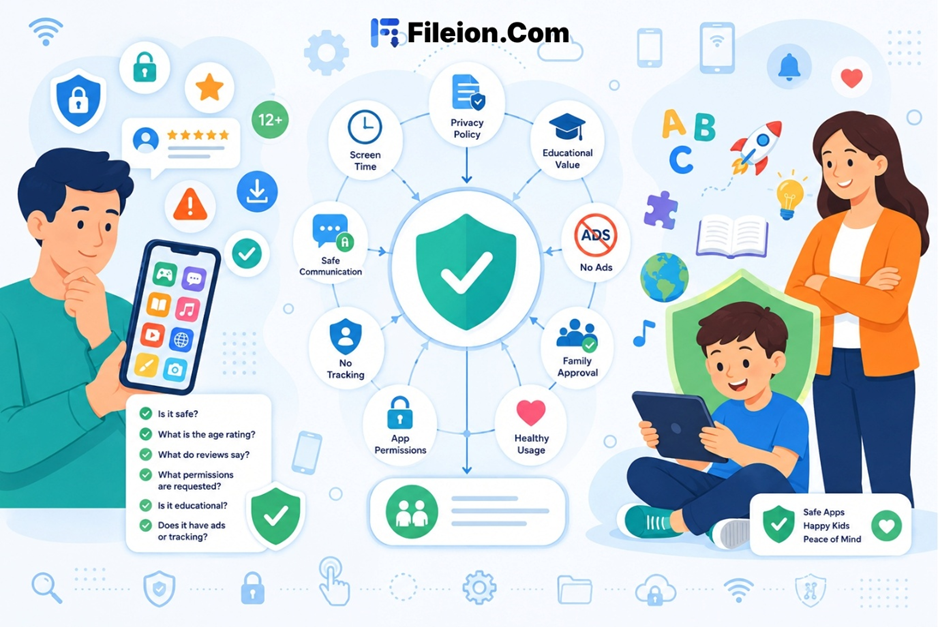
What is the stated purpose of this app? What age is it rated for, and does that match your child’s current maturity? What data does it collect, and what permissions does it require? Does it contain ads or in-app purchases? Does it work offline? Have parents with children the same age reviewed it positively?
This process takes about five minutes. It will filter out the vast majority of apps that are not worth installing.
Here is something many parents overlook entirely. An app that works offline removes a wide range of risks in one move.
When a child is not connected to the internet, there is no accidental content browsing, no ad exposure, and no opportunity to interact with strangers. The session contains what was already loaded onto the device.
A practical approach many parents use is downloading video content in advance and letting children watch it without an active internet connection during playback. This keeps the experience predictable and parent-approved.
For parents looking for a straightforward way to pre-download videos for offline viewing, Vidmate offers a clean option to save content ahead of time and control what is available on the device without relying on a live connection each time your child sits down to watch something.
Technology limits work better when children understand the reason behind them. A rule with no explanation tends to become a challenge.
A few approaches that tend to hold up over time include agreed screen time windows instead of unpredictable restrictions, a short pre-approved list of apps on the device, and regular check-ins where your child can suggest a new app and you review it together. That last one builds trust and keeps the conversation open.
The goal is not to eliminate all digital access. It is to make access that happens as safe and purposeful as possible.
Parents do not need technical expertise to make good app decisions. They need a consistent process and the habit of asking a few specific questions before every installation.
Check the core purpose, the data practices, the monetization model, and whether offline access is an option. Those filters alone will remove most of the risk.
Stay consistent, keep the process simple, and revisit your child’s app library every few months. What was appropriate at age six is not always the right fit at nine.
How do I know if an app is truly safe for my child?
Start with the age rating and read recent parent reviews. Check what permissions the app requests during installation. Confirm the developer complies with children’s data protection laws such as COPPA or GDPR, depending on your region.
What type of app is generally the safest for young children?
Apps that function fully offline, require no account creation, contain no advertisements, and have no in-app purchase options are generally the safest category for younger children.
Should I monitor what my child does inside an app after I install it?
Yes, especially for apps that involve any form of social interaction or open content browsing. For media playback or closed educational apps, periodic check-ins every few weeks are usually enough.
Why does offline access matter so much for children’s apps?
Offline access removes the risk of unintended content browsing, ad exposure, and any form of contact with unknown users during a session. It keeps the experience entirely within what a parent has already reviewed and approved.
How often should I review the apps installed on my child’s device?
Reviewing every two to three months is a reasonable habit. Children’s needs and appropriate content change as they grow, and some apps that were fine at an earlier stage may no longer be suitable.